
Connect one server.
It finds every camera on the network. Online in minutes.
LEVISION is an AI video management system: it connects to your existing cameras and recorders, detects what is happening on scene in real time, counts and logs, and produces reports. It runs locally on your premises or in the cloud - the exact same system.
An AI layer for the cameras you already own. One short film on how it connects, understands and alerts.
It finds every camera on the network. Online in minutes.
Working together, on site - and they understand plain language.
Privacy is built in. Every user sees only what their role allows.
On the cameras you already own. No hardware to replace.
Write a rule in your own words - no pre-training, no complicated setup. The system understands the request, runs it on your existing cameras, and alerts the moment it happens.
Illustration. The texts and events demonstrate how a natural-language rule works.
34 rule types, 11 reports and a complete platform - from discovering cameras on the network to closing the incident. Every rule is drawn on the video in a few clicks, with severity, schedule and chained actions.
Intrusion, loitering, line crossing, abandoned or missing object, fire and smoke, a fall, a plate from a watchlist - and even a situation you described in one sentence, in your own words.
Entries and exits, how many are inside right now, occupancy, dwell times, speeds, plates and identities. Live counters on the camera page, kept for as long as you decide.
Events, plates, attendance, counts and occupancy, speeds, PPE, weekly heatmap, camera uptime and audit. Charts, CSV, print and daily or weekly delivery.
Faces, license plates and keywords against lists you manage - an alert on a match, and attendance logging of known identities.
“Alert on an unattended bag” - a rule in natural language, no training. Ask a free question about any frame in any language, and get an abnormal scene status in one sentence.
Plate reading against allow and block lists, vehicle speed in km/h, wrong-direction movement and a log of every plate read.
Fall detection, raised hands, running, crowding, fire and smoke, and audio events: breaking glass, a scream, a gunshot or an alarm.
Network scan for cameras and recorders, video wall, sites, PTZ, a clip and snapshot for every event, visual search across cameras and CRM-style handling notes.
The cameras saw everything - too late. A short story about the difference between recording and response.
Licensed by cameras and package, in a single token. Upgrading to a higher package needs no extra hardware. Each package includes the ones before it.
Know what is happening
Built for: homes, small shops, offices
Plus: Crossing counts, occupancy, activity level
Prevent damage before it happens
Built for: chains, warehouses, offices, schools
Plus: Dwell times, people counting, sound log
Operations & safety
Built for: parking, factories, campuses, municipalities, nursing homes
Plus: Plate and speed logs
A system that understands
Built for: large organizations, sensitive sites, security bodies
Plus: The matching logs
Install on your own server or connect to the cloud, scan the network, pick a package - and your first rule runs within minutes. Every rule ships with built-in usage guidance.
An automatic network scan finds cameras and recorders over ONVIF and RTSP. No hardware to replace.
Video analysis runs on a GPU with automatic load control - on-premise or in the cloud, your choice.
34 rule types drawn on the video in a few clicks. Alerts by e-mail, Telegram, Slack, Discord, push and webhook.
A clip and snapshot for every event, handling and closure notes, live counters and 11 reports with scheduled delivery.
One engine - a package sized to the site and its needs, with the rules that matter most to it.

After-hours intrusion, presence in sensitive areas, entry and exit counting and an attendance report of known identities.
Worker safety: falls, running, wrong direction and PPE, plus vehicle counting on docks and in warehouses.
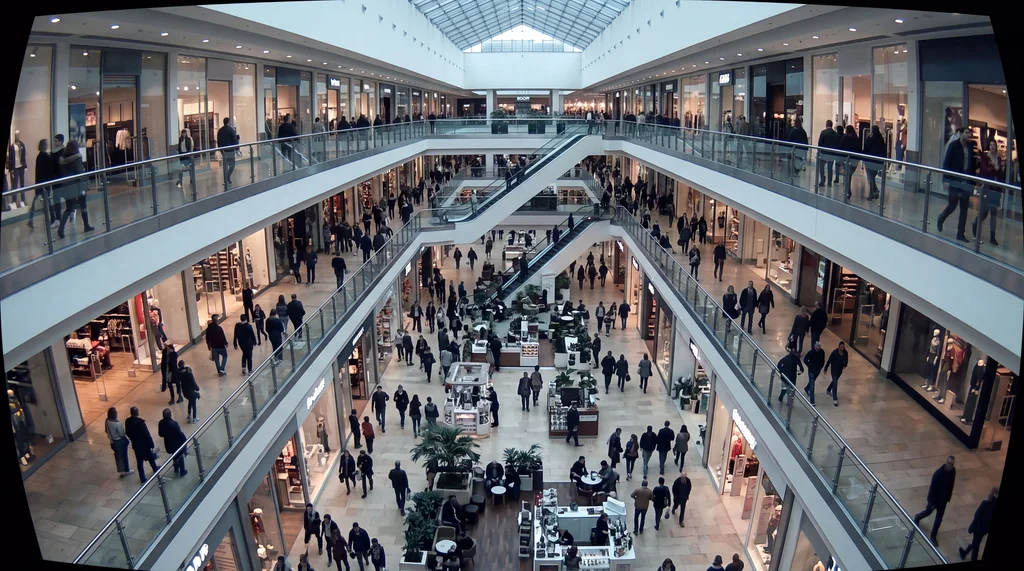
How many are inside right now, dwell times, a weekly heatmap, missing objects and audio events in the store.
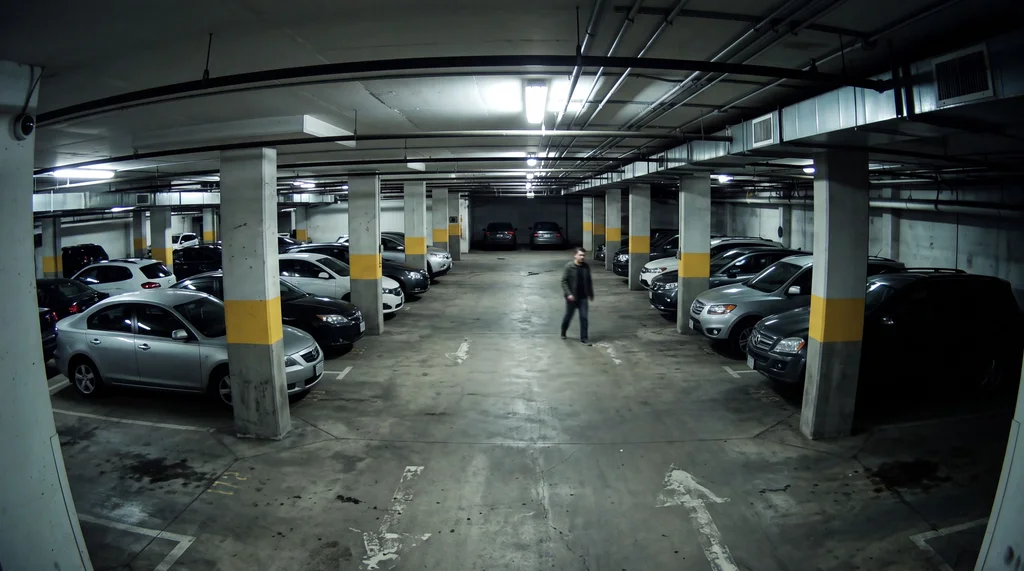
Plates against allow-lists, vehicle speed, parking-space occupancy and a log of every plate read.
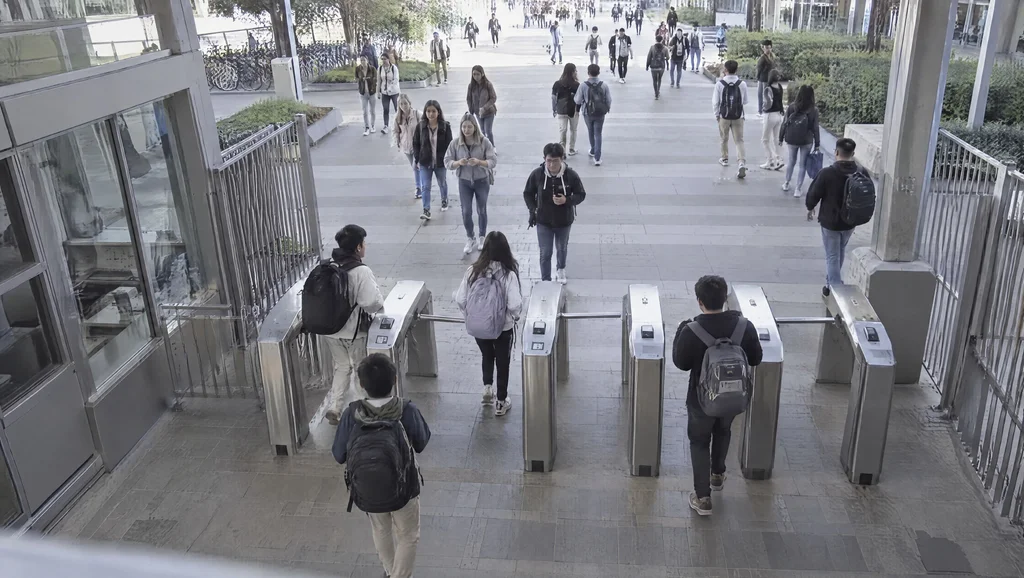
Schools, nursing homes and public buildings: loitering, crowding, falls and distress, with full sensitivity to privacy.
PPE enforcement by description, restricted-zone entry, fire and smoke and real-time safety alerts.
All the upside of first-class AI - without the price, the vendor lock-in, or giving up control.
The exact same system on your own server, with no internet, or in the cloud - built-in data sovereignty and privacy in every setup.
By cameras and package, in a single token. Upgrade a package with no extra hardware.
8 UI languages, including Hebrew and Arabic, and questions about any frame in any language.
Automatic network scan for cameras and recorders over ONVIF and RTSP, PTZ control included.
Rules in natural language, detection by description and a scene status in one sentence - no pre-training.
Permission profiles, groups, allowed cameras per user and a full audit log.
Standard protocols, dozens of camera and recorder brands, and six alert channels - with no vendor lock-in.
Security is built into the system from the ground up - on your server or in the cloud, your data stays yours.
On-prem - no internet, nothing leaves the server; cloud - an isolated, encrypted environment for your organization.
Who sees what: a permission profile per user, groups, and allowed cameras for each one.
A full record of who did what, available for export and an audit report.
Passwords and camera connection details are stored encrypted.
Clips, snapshots and logs are kept for the period you define - and no longer.
Face and plate recognition against watchlists you manage, with an alert on a match only.
Only if you choose to. LEVISION is available on-premise, where all processing, recordings and events stay inside your organization’s network - or as a managed cloud deployment in an isolated, encrypted environment dedicated to your organization. The exact same system in both setups.
The system scans the network and finds cameras and recorders over ONVIF and RTSP - about 48 brands and any standards-compliant camera, including the ones already installed on your site. No hardware to replace.
By e-mail, Telegram, Slack, Discord, push notification and a webhook to any other system. Every event comes with a clip and snapshot, before and after, plus CRM-style handling and closure notes.
On-premise - no. The system is designed to run fully on an isolated local network, and internet is only needed for updates or external alerts. A cloud deployment needs a stable connection from your site to the cloud.
Install on your own server or connect to the cloud, scan the network, pick a package - and your first rule runs within minutes. Every rule ships with built-in usage guidance.
The system is built to scale. Camera count depends mainly on the server’s GPU, with automatic load control - we’ll size a configuration for your scope during the demo.
By the number of cameras and the package you choose, in a single licence token. Upgrading to a higher package needs no extra hardware. Contact us and we’ll build a tailored quote.
Leave your details and we’ll get back to you with a live demo tailored to your environment and needs.